Excel + Google Sheets
Income & Expense Tracker
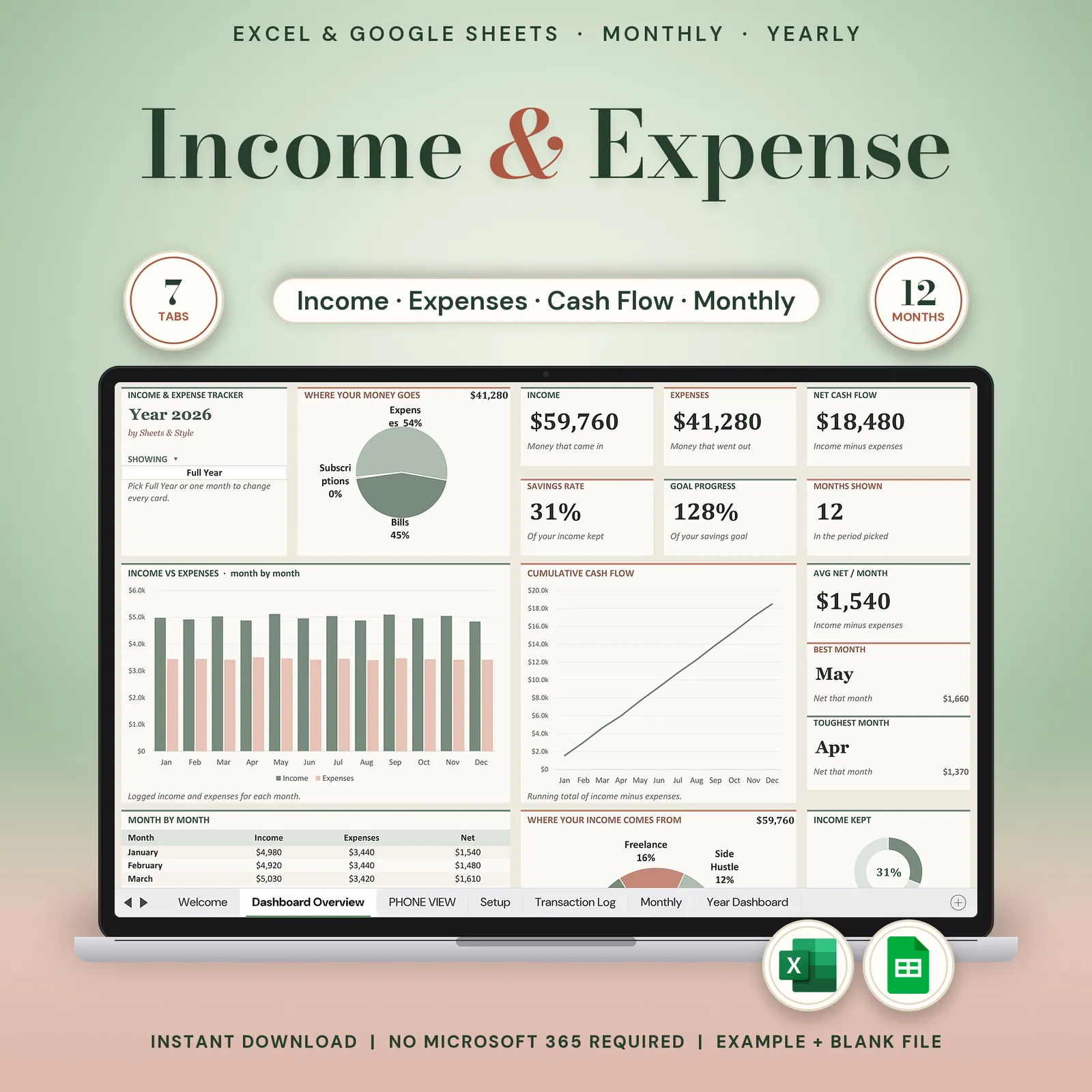
Income and expense tracker for Google Sheets and Excel: paste your bank CSV or type each line, and see your cash flow, savings rate and top spending categories by month and for the year.
Every dollar in, every dollar out. Six clean tabs, no 30-tab system to abandon. Type your transactions or paste them straight from your bank's CSV export, and the summaries, charts and year view build themselves.
Coming to Etsy this week
Instant download on Etsy: Excel files plus a link to your own Google Sheets copy.
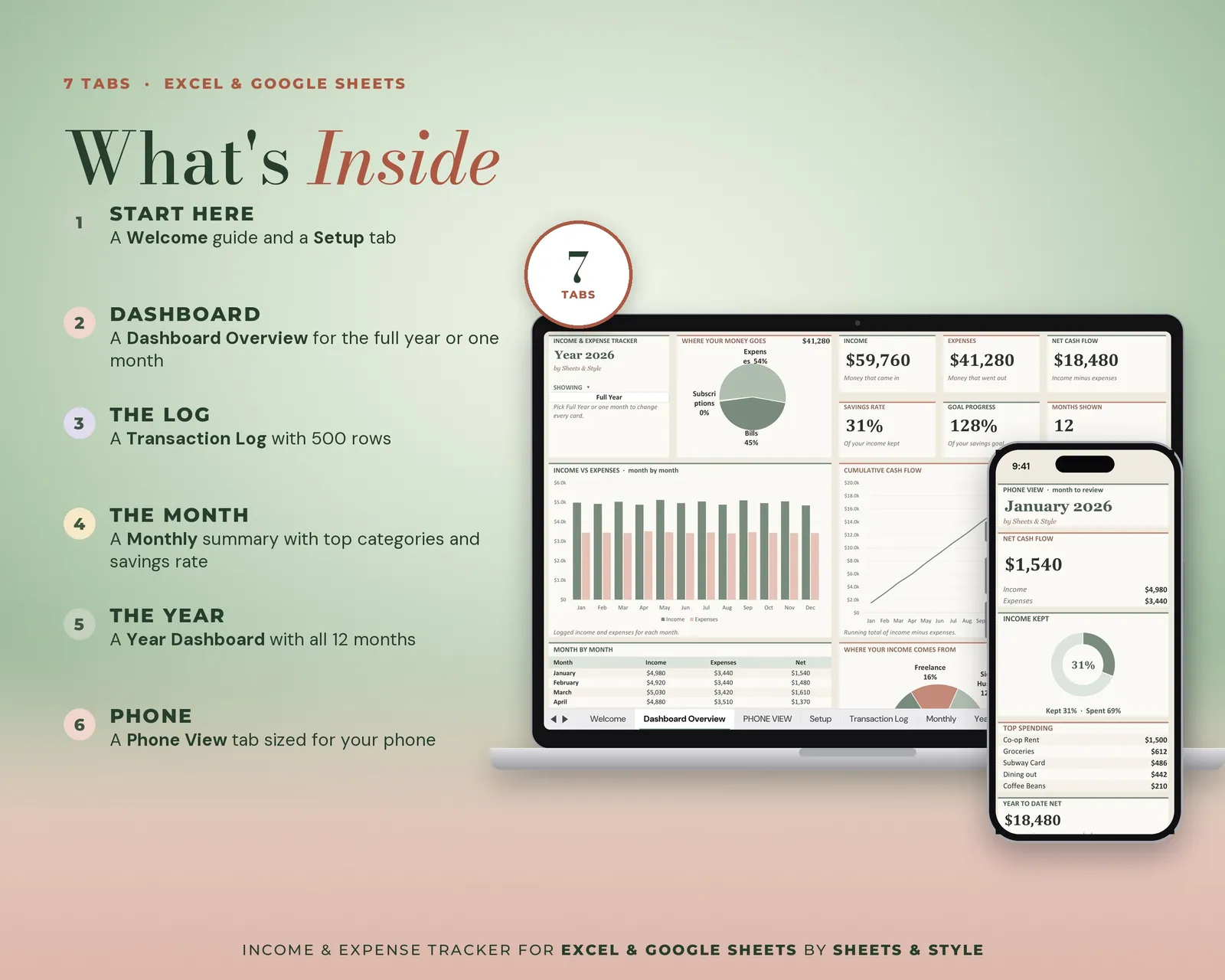
What’s inside · 6 tabs
- Welcome: A 3-step quick start
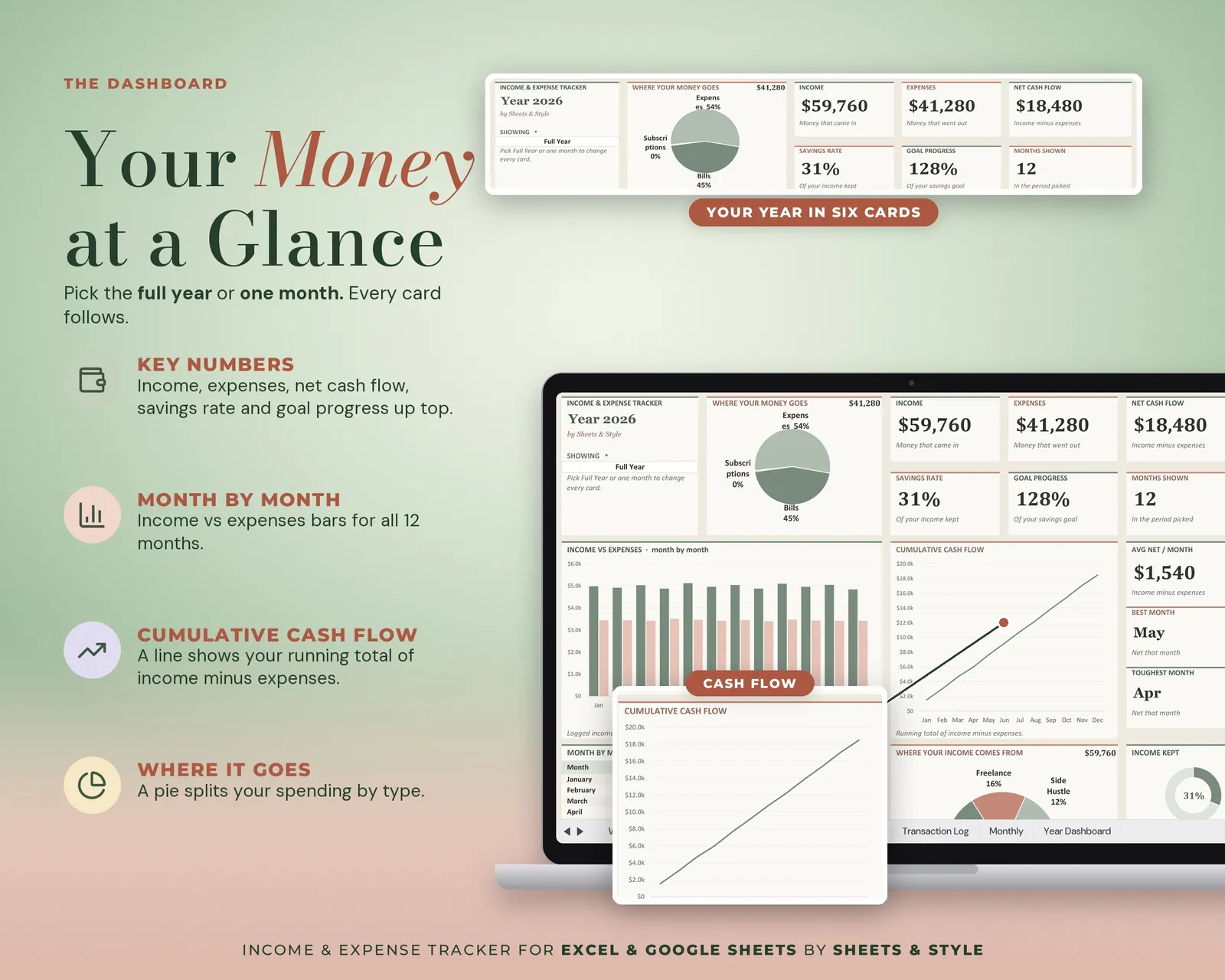
- Dashboard Overview: Big KPI cards, donut and bar charts of your cash flow, filterable by month
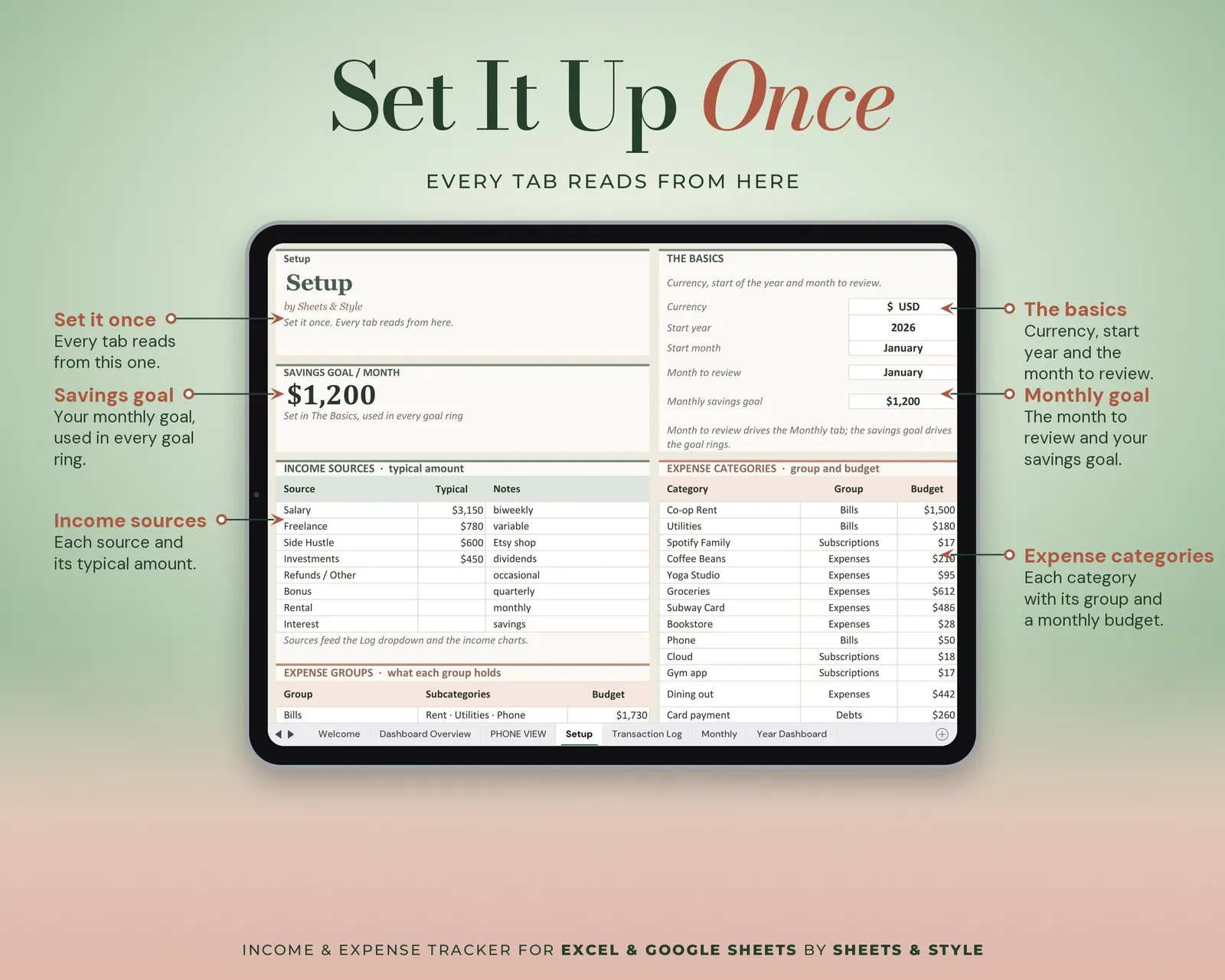
- Setup: Currency, year, savings goal and your own income and expense categories. Set once.
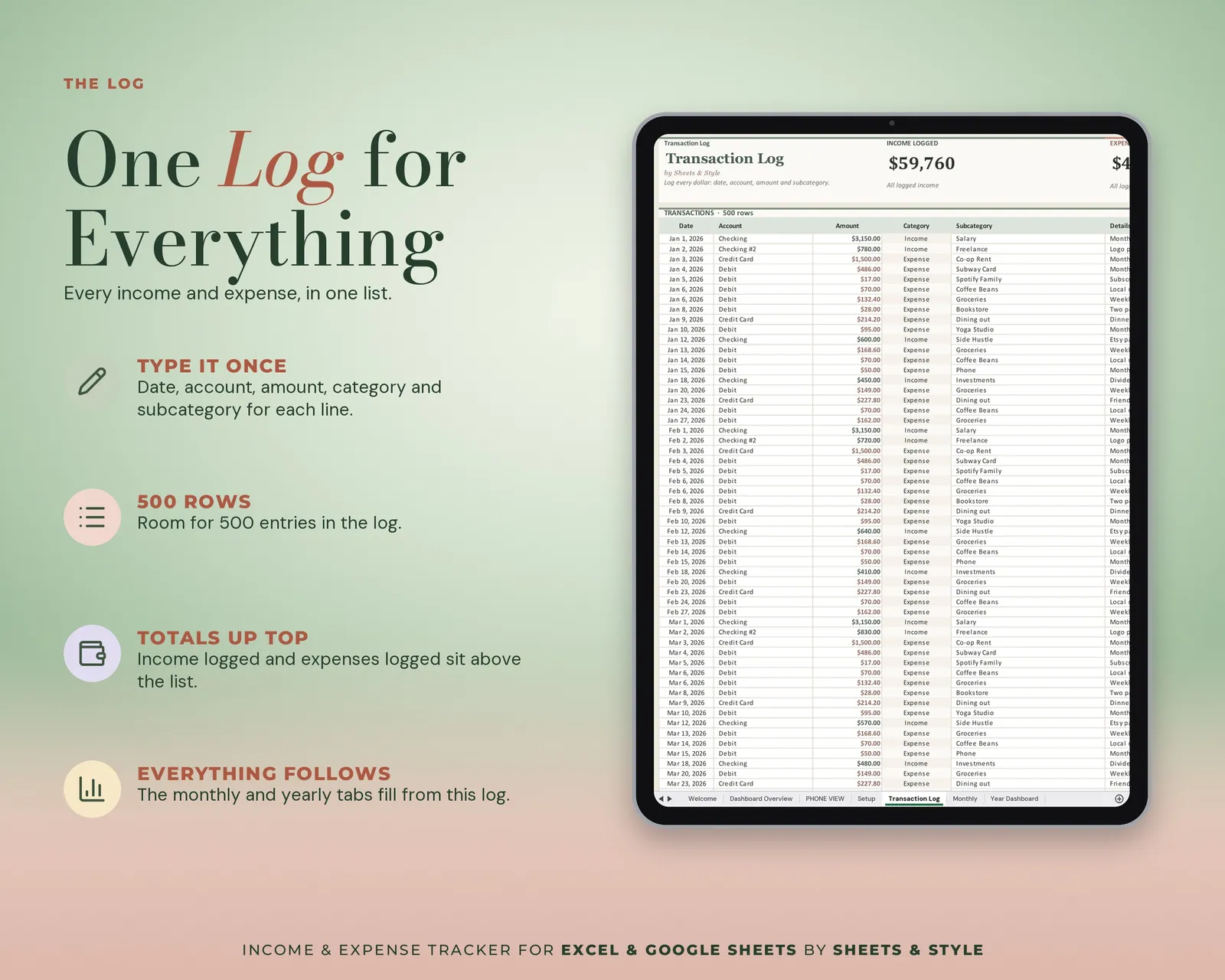
- Transaction Log: Type or paste your bank CSV by column; category dropdowns keep it tidy, and a mirror table lets you filter and sort without touching the raw log
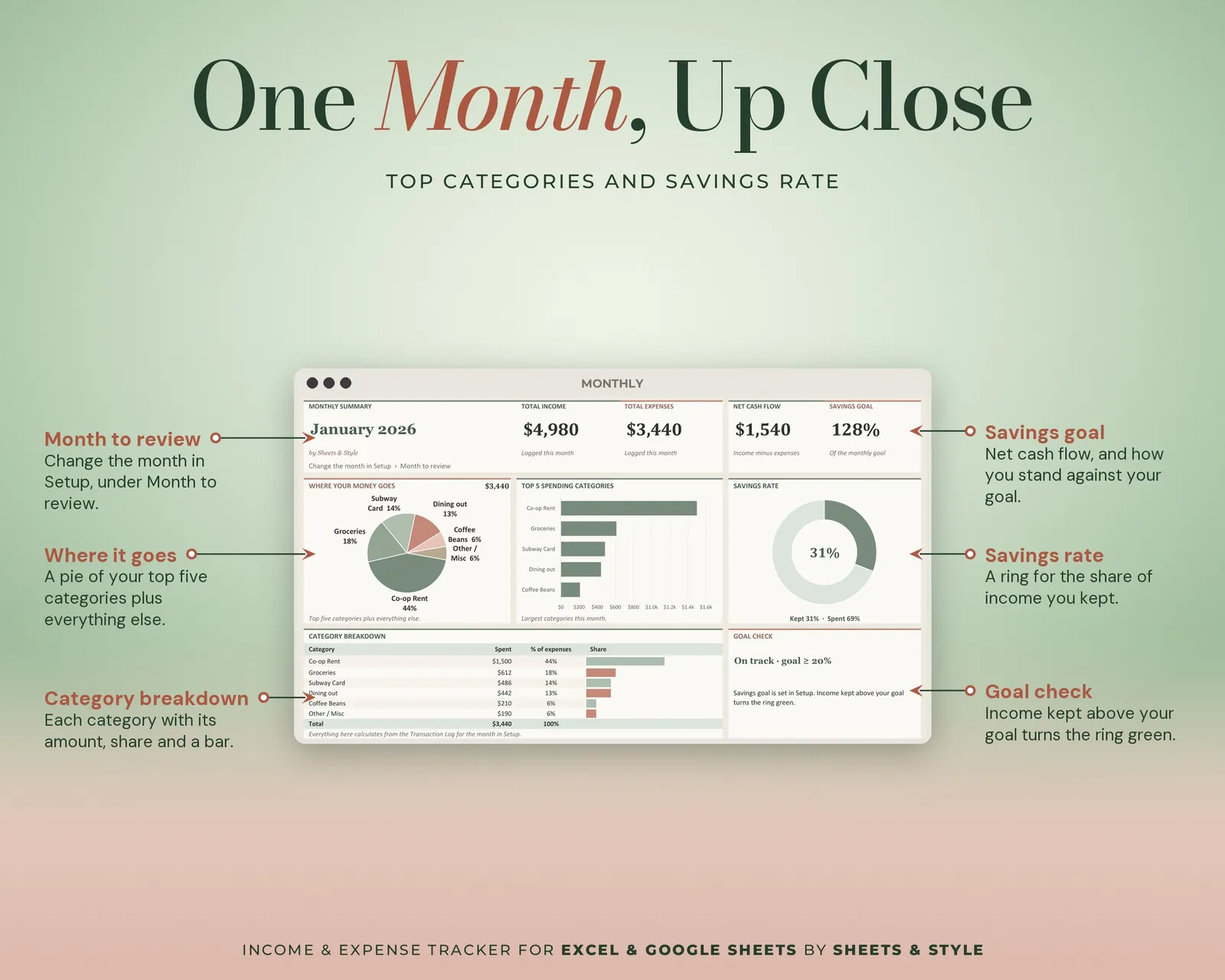
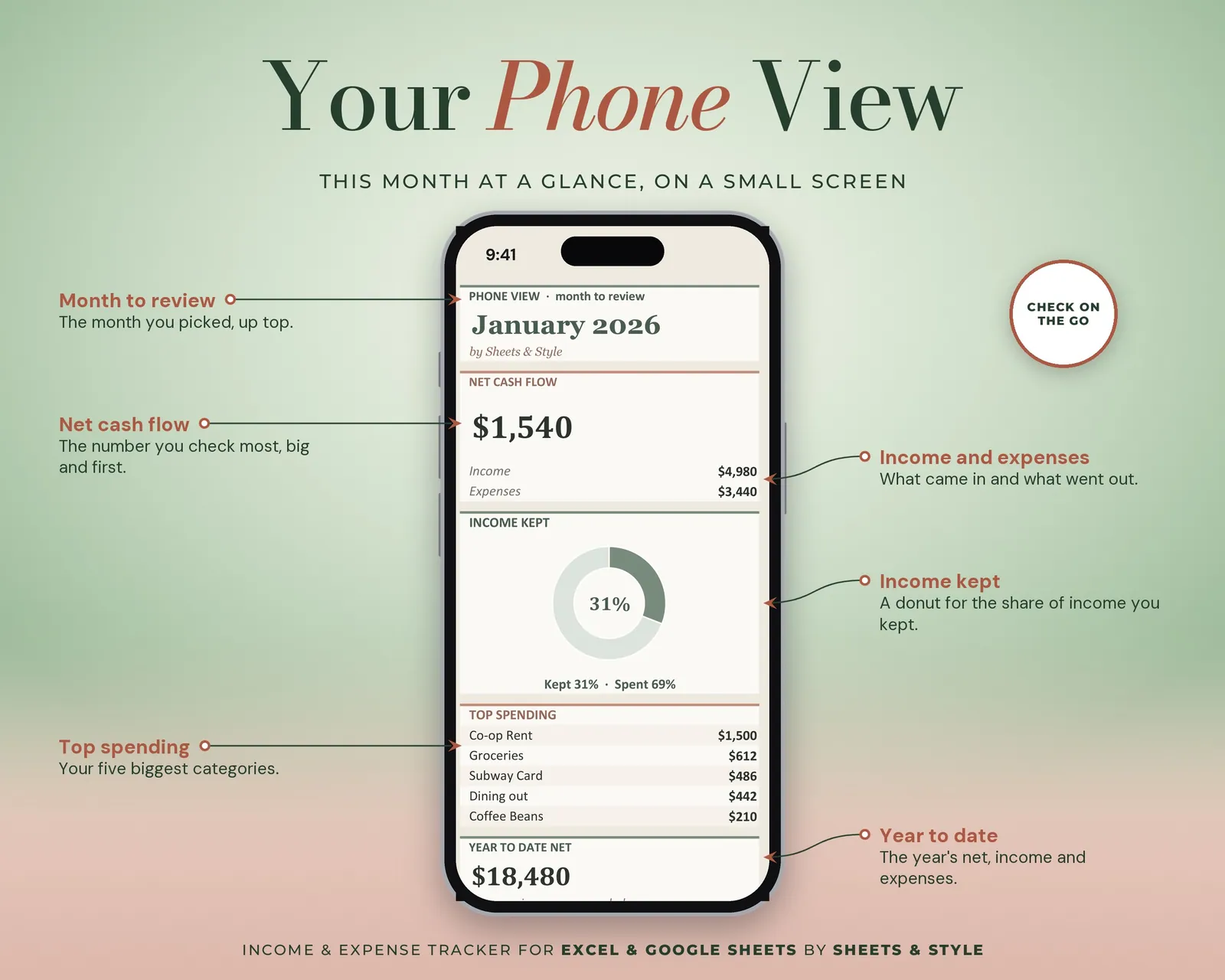
- Monthly: Total income, expenses, net cash flow, savings rate, a "where it goes" breakdown and your top 5 spending categories
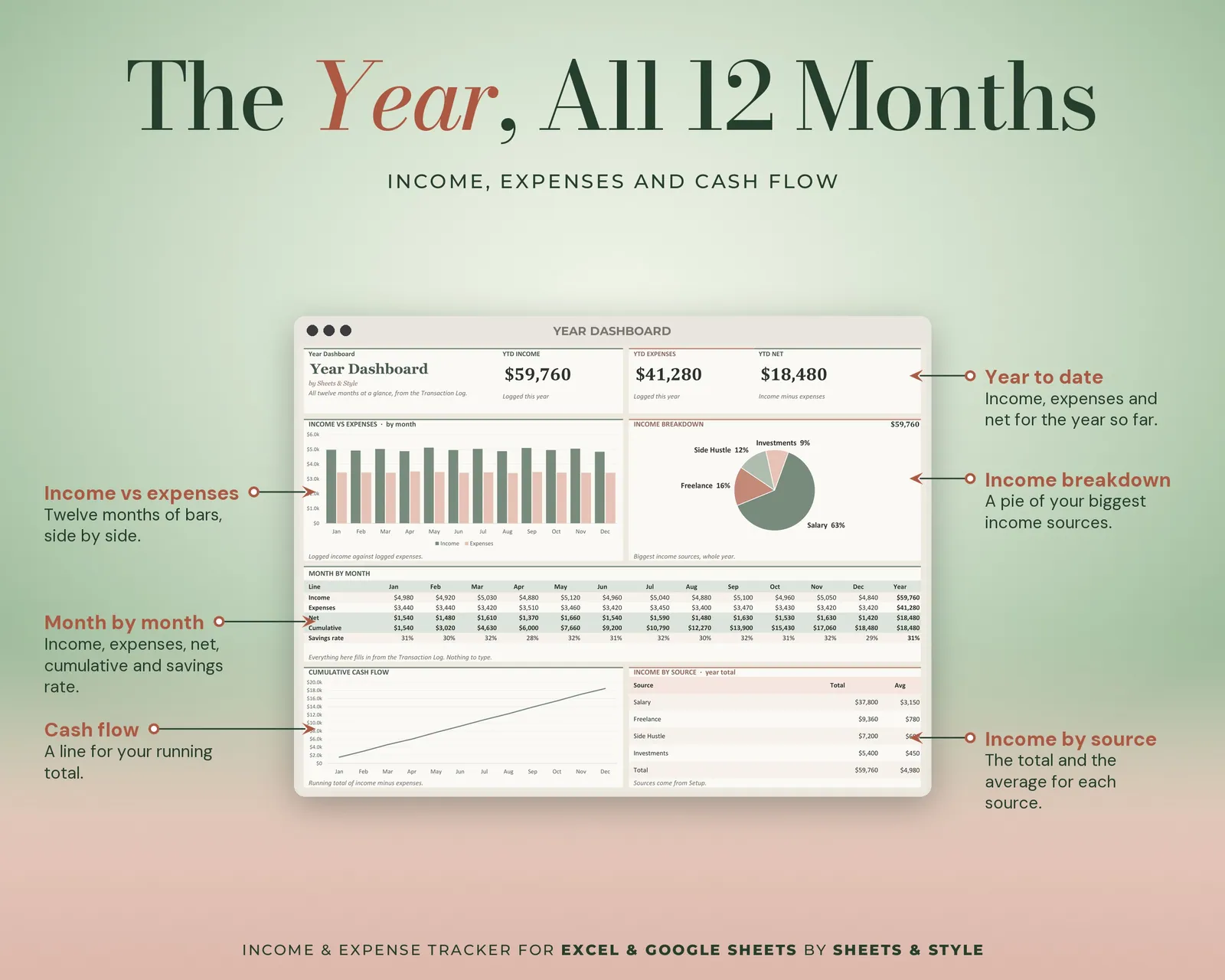
- Year Dashboard: Twelve months at a glance. Income vs expenses, cumulative cash flow, YTD savings rate, best month and income by source
Features
- Visual Dashboard Overview tab: big KPI cards (income, expenses, net cash flow, savings rate, goal progress), donut and bar charts that update from your entries; pick a month or the full year to filter
- Paste from your bank export instead of typing every line
- Deliberately simple: the whole thing is six tabs
- Any currency, start any month, undated and reusable
- Auto-calculated summaries, savings rate and charts
- Filled EXAMPLE workbook + clean BLANK workbook included
- Excel AND Google Sheets versions, both in this listing
- Every formula tested before publishing
You’ll need
- Microsoft Excel 2016 or newer (desktop; Microsoft 365 not required) or a free Google account for the Google Sheets version.
- Best on desktop or laptop.
More in Budget